Wingman-MCP Deep(er) Dive
A bit more detail on Wingman-MCP
A bit more detail
 In my last post, I gave an overview of Wingman-MCP and some of the reasoning behind it. I wanted to outline some more of the use cases or scenarios I’ve been exploring to show the value of what it can do.
As an administrator, you can obviously log in to the Workspace ONE UEM console to obtain the information about your environment, and to a certain extent you also use the Workspace ONE UEM API to gather the same. However, the benefit here is that it you can query the information in a natural language way, and the MCP server will return the information in a structured format. Now that you have the information in a structured format, you can use it in other tools or agents to carry out related tasks.
Use cases
Applications and Vulnerabilities
Let’s take a fairly straightforward scenario. Here in the screenshot below you can see that I’ve asked my LLM App (in this case, it was Codex) to obtain a list of applications that I have in my Workspace ONE UEM Console.
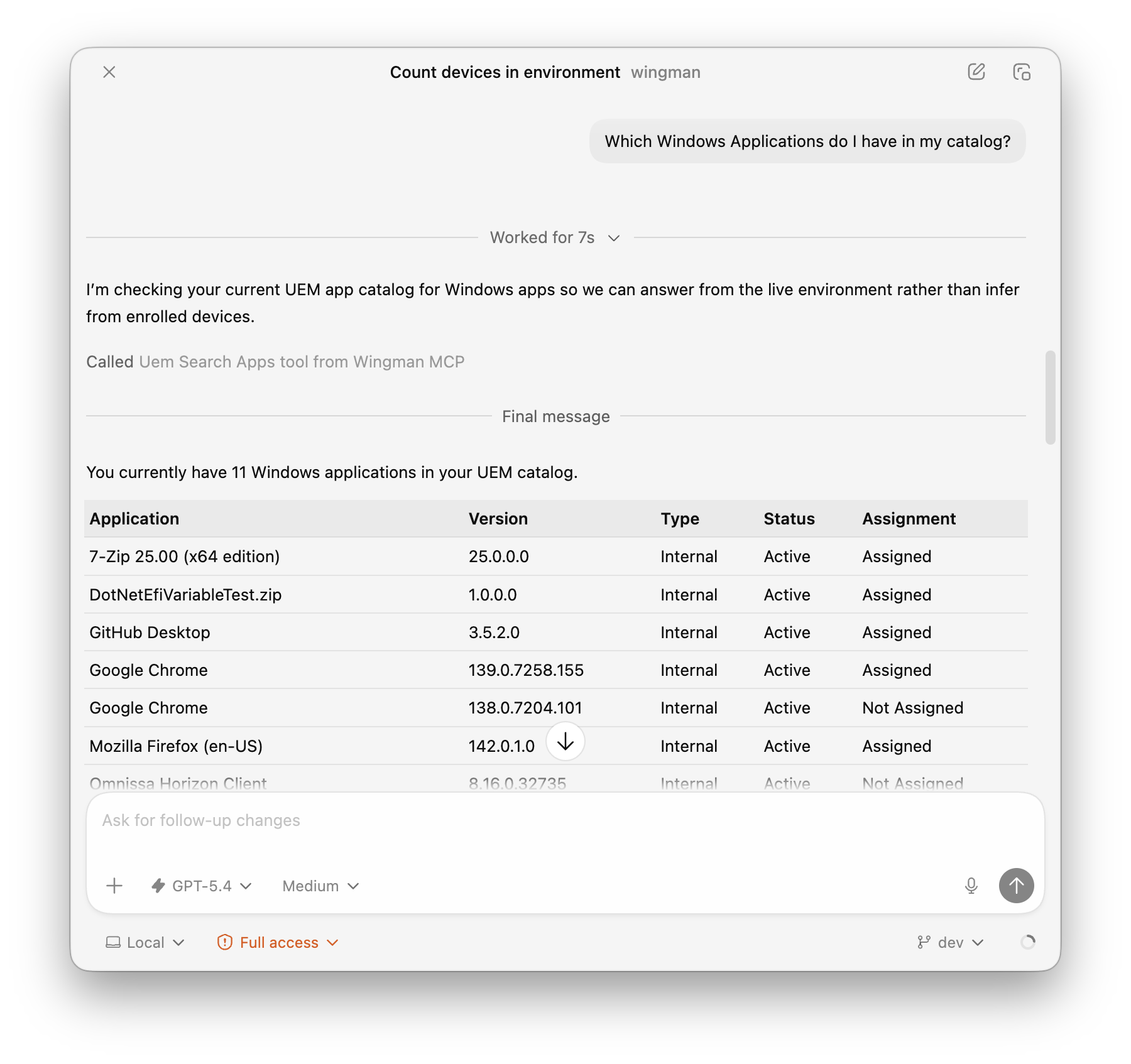 “Which applications do I have?”
As you can see, it’s returned a list of applications in a structured format, albeit not really much different to what I could see from the Console. However, the real benefit here comes from now have that context available for follow up prompts in Codex.
I can follow this up with a prompt like below where we can leverage the context from the previous prompt and ask it to find information about vulnerabilities in those applications.
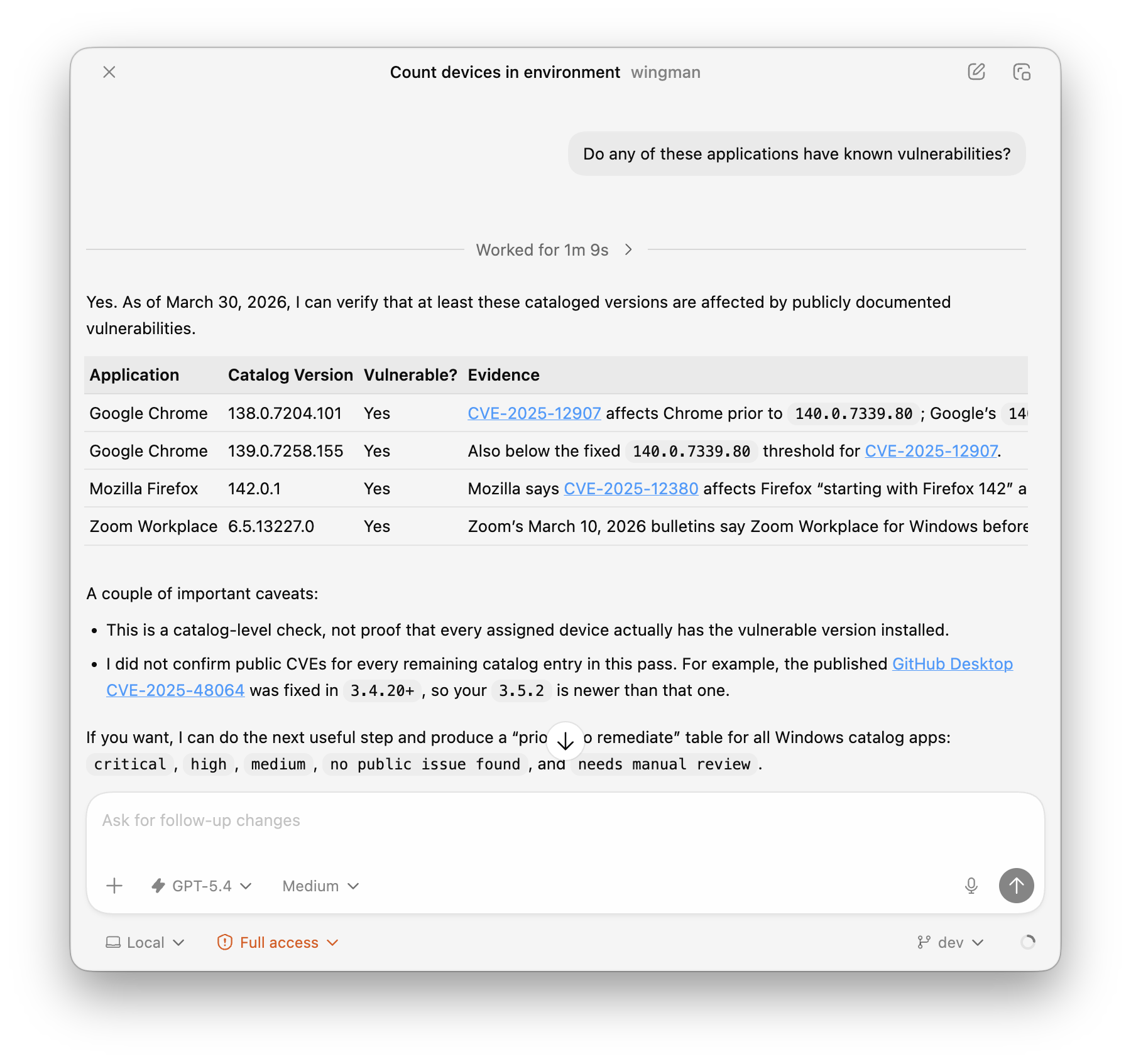 “Which of those applications have vulnerabilities?”
And lastly, I can then take this response again and ask it to give me steps on how to remediate this potentially vulnerable applications.
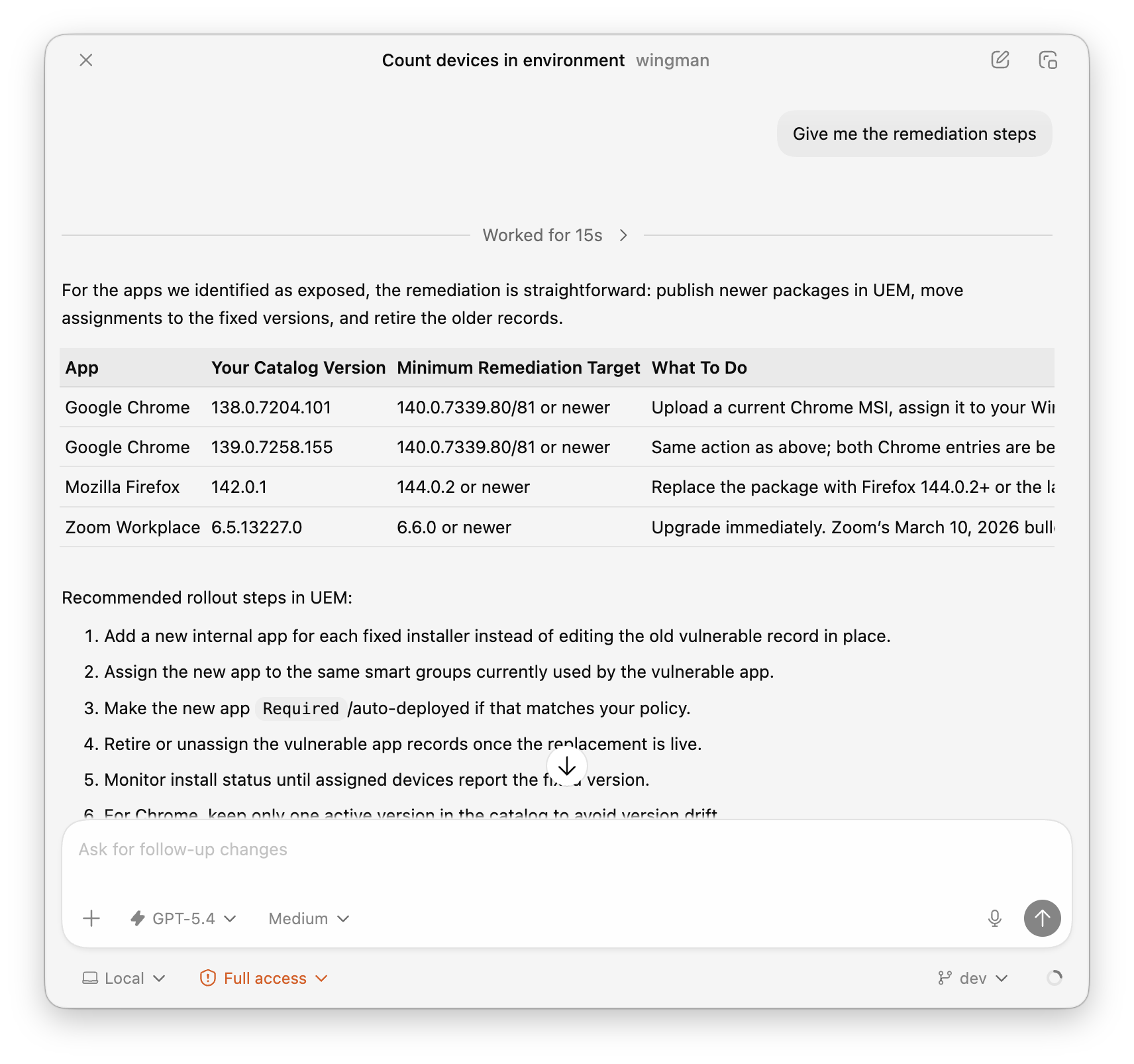 “Give me steps on how to remediate this potentially vulnerable application”
Get recommendations using known Best Practices
A really powerful feature of Wingman-MCP is the ability to get have it provide context to the LLM to help it give better thought out responses. One of the examples I used here (with Claude this time) was to ask it to give me a recommended Organization Group Structure for my fictional company “Dropbear Bank”.
1
2
3
4
5
6
7
I am an administrator for Dropbear International Bank, a Fortune 1000 multinational financial institution headquartered in New York City.

I need you to define the best Org Group structure in Workspace ONE UEM.

The company operates across the continental United States and maintains a presence in parts of North and Central America, with planned expansion into Europe through a potential mergers and acquisitions (M&A) opportunity. Dropbear Bank employs approximately 30,000 people, generates over $12 billion in annual revenue, and maintains an $800 million IT budget, reflecting the scale and complexity of its operations. As a highly regulated bank, Dropbear Bank must comply with requirements such as SOX, GDPR (expected with a European expansion), and PCI DSS, driving a sustained focus on security, risk management, and operational resilience.

Ensure you leverage wingman-mcp for better context around your answers, and generate diagrams for the proposed structure.
Now, you can see Claude’s response below. You can also see that it’s used the workspace_one_mcp tool to get the information it needs to provide a response.
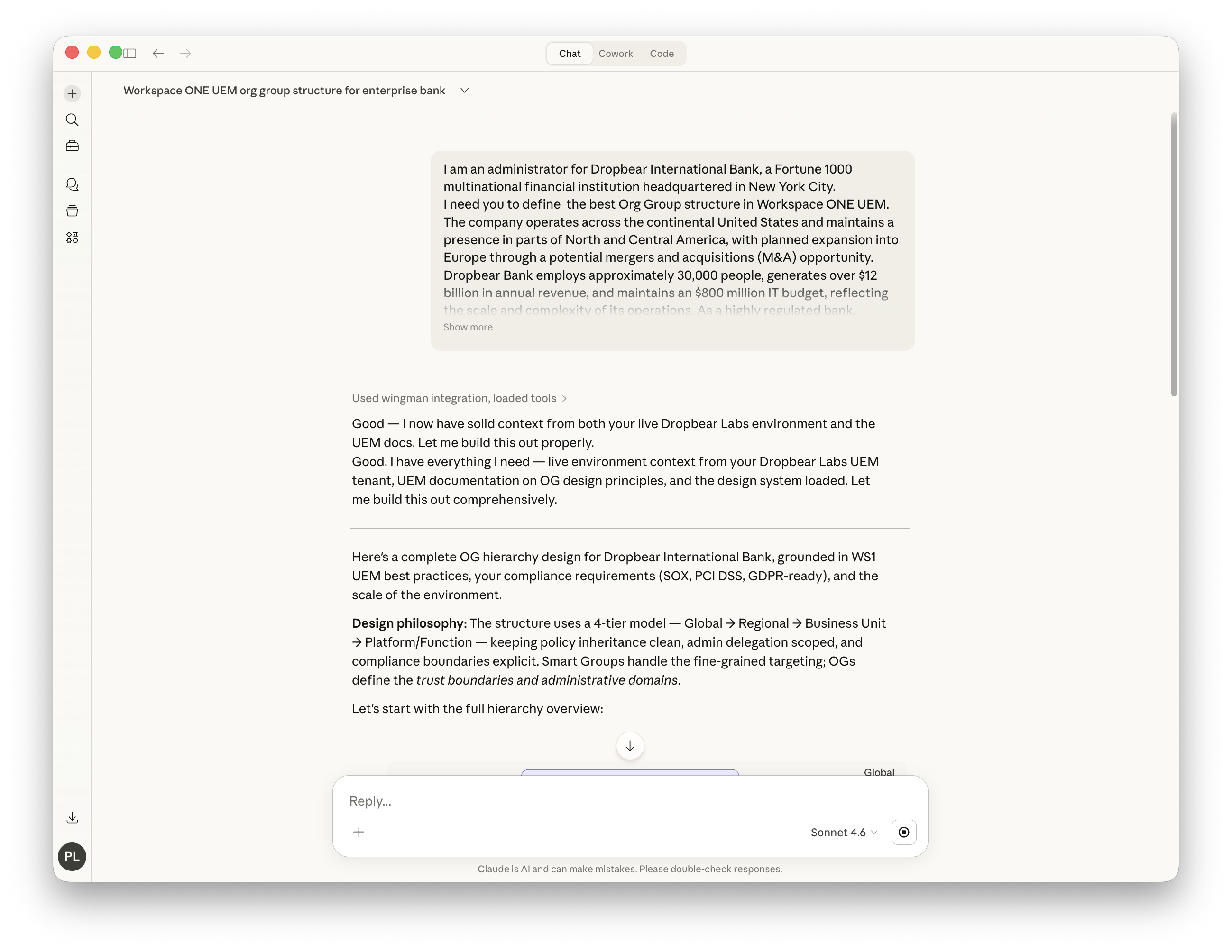
It gave us a nice overview and then a diagram of the proposed structure.
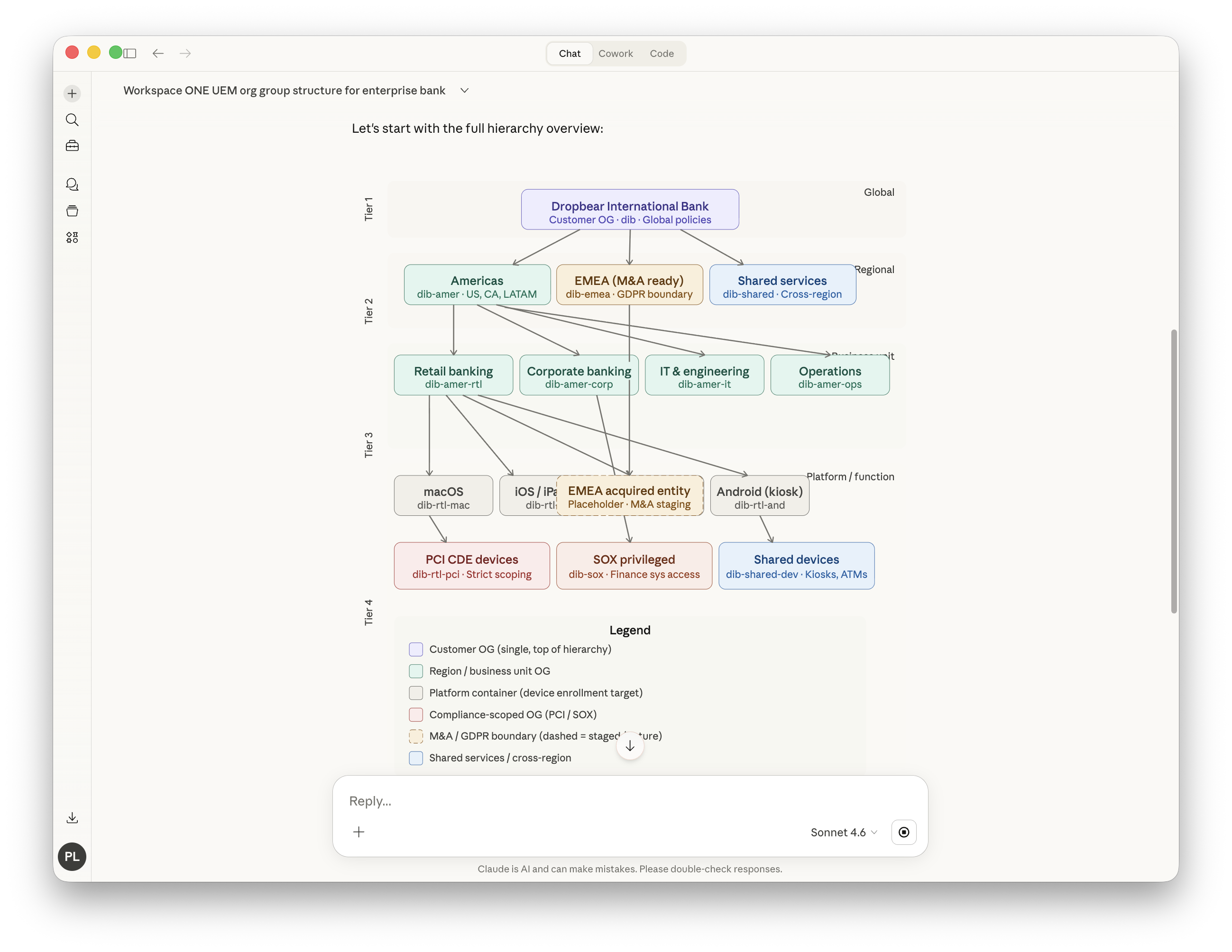
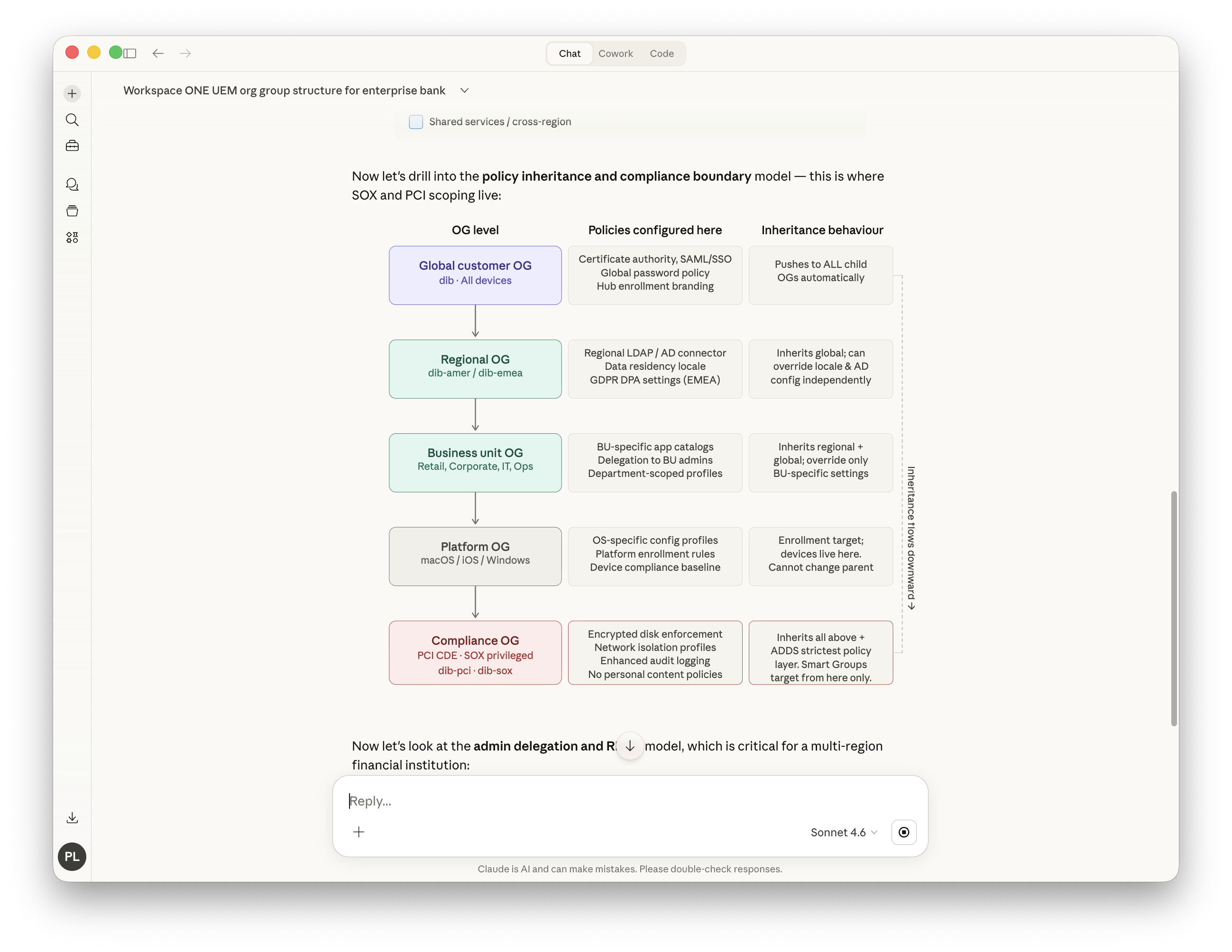
Lastly, without actually prompting it to do so, it also gave us some detail about the inheritance flows for the proposed structure.
Release Notes Summary
And one last one, you can ask your LLM to give you a summary of the latest release notes for Workspace ONE UEM that are relevant to your specific deployment.
Give me a summary of the latest Workspace ONE Release notes that are relevant to my environment
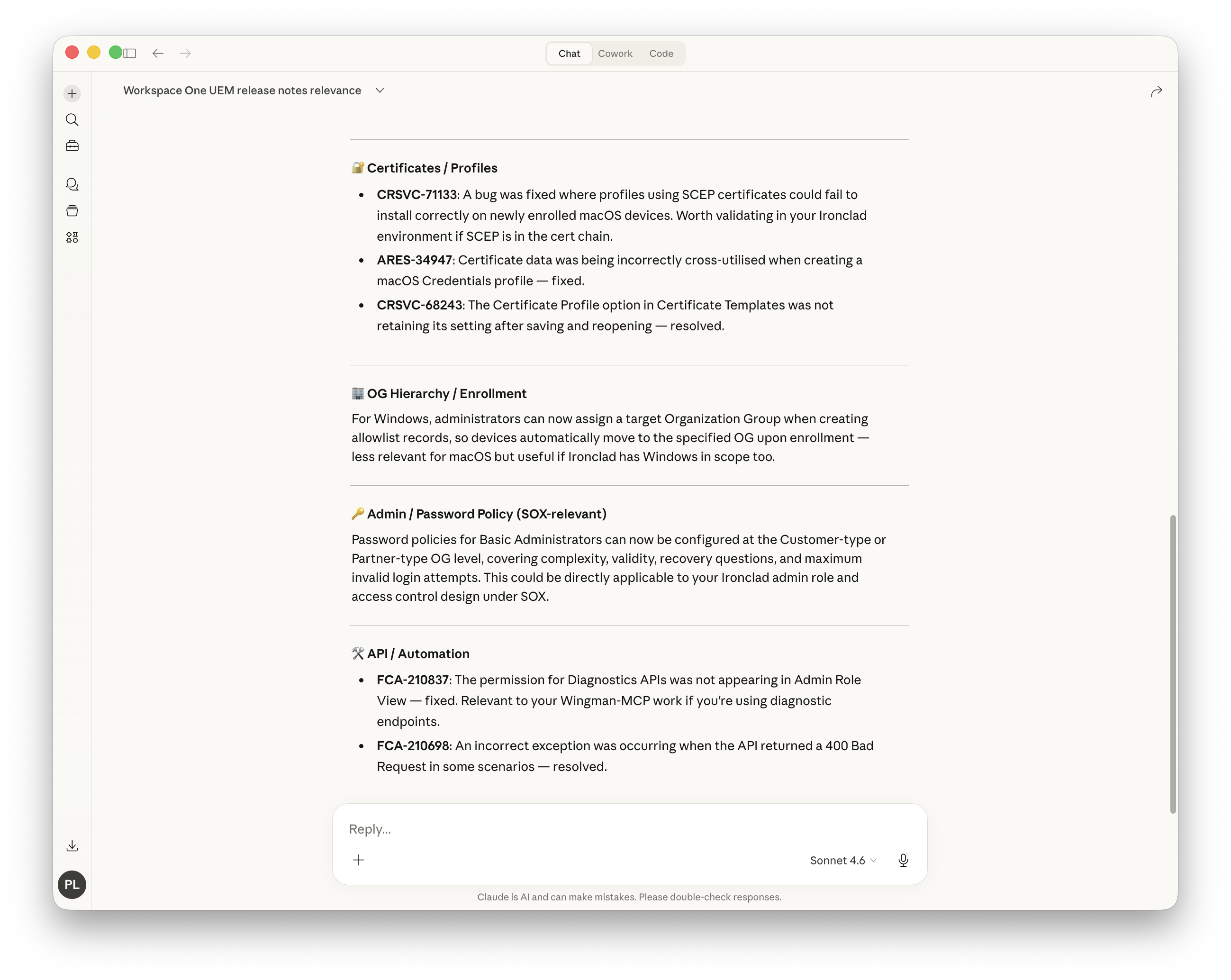
Claude was able to query Workspace ONE for what devices and capabilities I was using, and then cross reference this against the release notes to give me a summary of what was relevant to me.
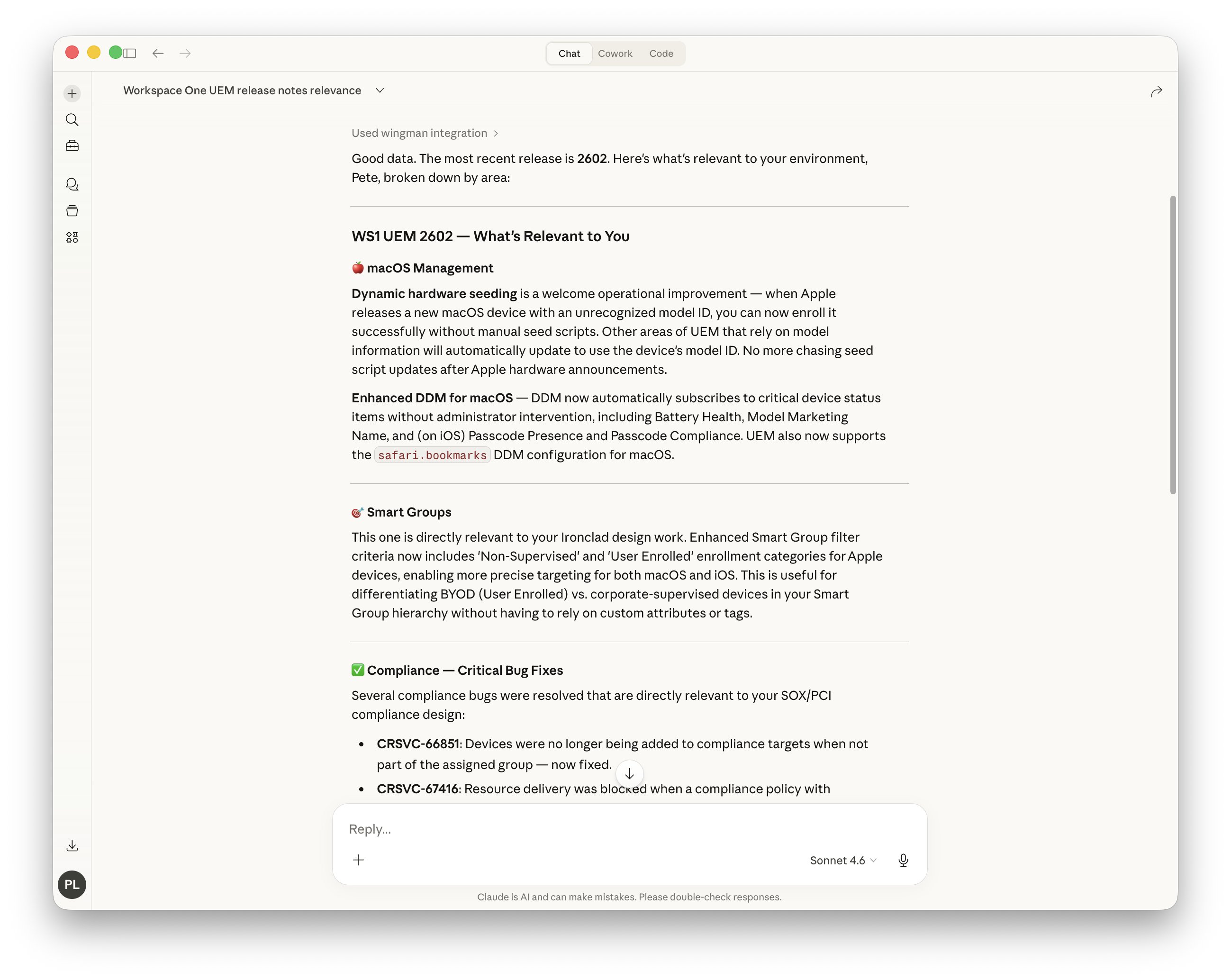
And it also then gave me details about the fixes etc.
I’m just scratching the surface of what’s possible with Wingman-MCP, but I’m already seeing the value it can bring by abstracting some of the more mundane data correlation and research tasks.